How to Prompt MAGI-2 Online: 30s Timestamp Scripts, 20-Asset Omni-Reference & Lip-Sync Templates
Copy-paste MAGI-2 prompt templates and production rules for Seedance AI Studio (seedanceai.im/magi-2): 0.08s timestamped shot cuts, 20-file Omni-Reference slot budgeting, jaw-accurate lip-sync, and credit-saving 4–5s rehearsal workflows.
 SeedanceAI.im Studio Guide
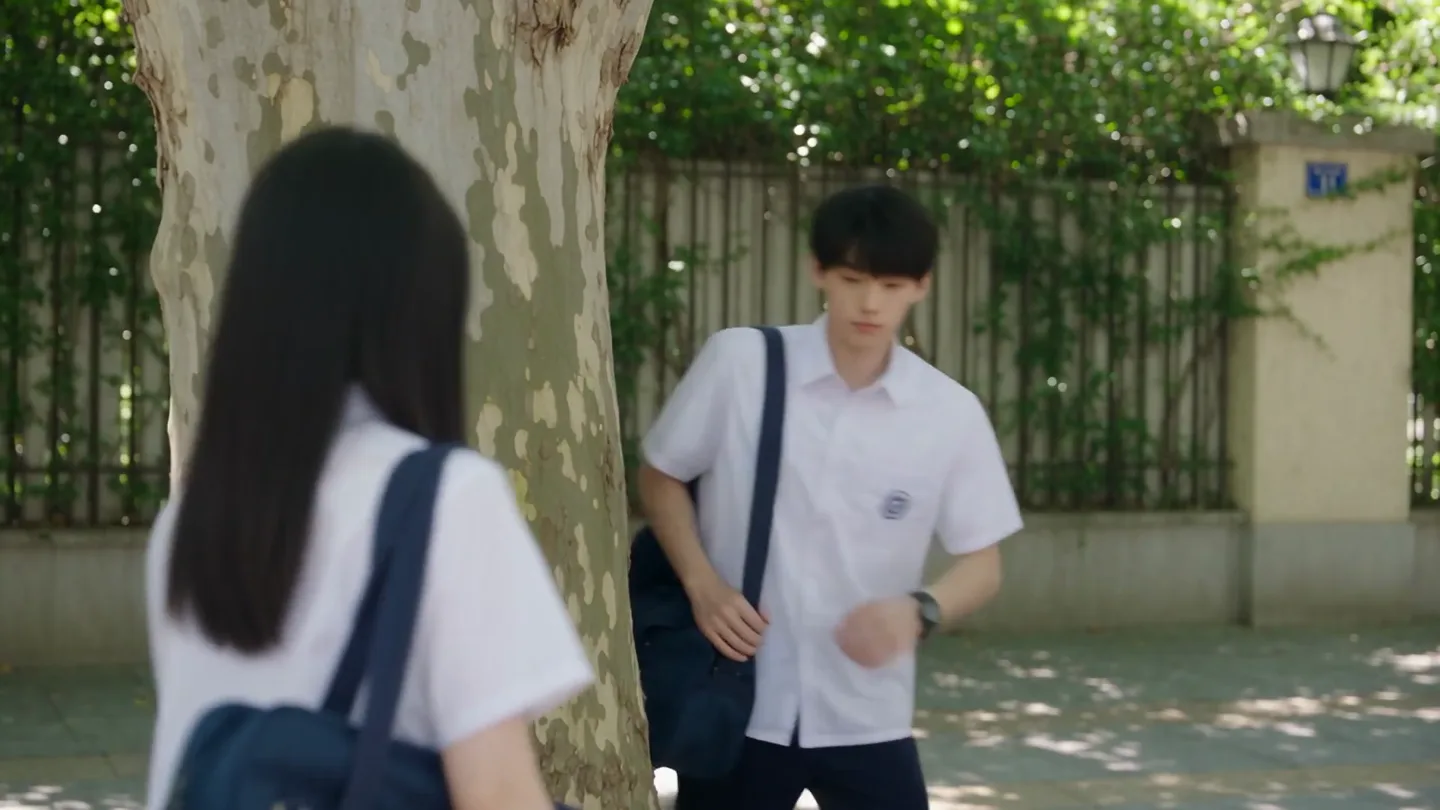
Directing a broadcast-ready 30-second sequence in Seedance AI’s MAGI-2 Studio (seedanceai.im/magi-2) requires a different prompting approach than legacy 5-second silent video tools. Because MAGI-2’s 480B single-stream Transformer evaluates up to 20,000 characters of text, 1080p @ 25fps visual latents, and native audio tokens simultaneously—alongside up to 20 uploaded @Reference assets—it rewards structured shooting scripts over comma-separated quality tags.
1. Why comma-separated diffusion tags fail on single-stream audio-video
On older two-stage generators, users stuffed prompts with tokens like 8k, masterpiece, ultra-detailed, photorealistic. When you run tag lists on MAGI-2, the visual heads guess generic motion while the audio heads receive zero acoustic constraints—resulting in dead room tone or stiff jaw movement.
Compare a tag-list prompt against a structured Seedance AI Studio prompt on the same 8-second scene:
- Ineffective tag list:
two students talking under trees, summer sunlight, cinematic, 1080p, shallow depth of field, best quality - Production single-stream script:
[00:00–00:08] Medium over-the-shoulder shot in dappled afternoon sunlight under plane trees, 50mm f/2.0. @Image1 stands by the stone wall adjusting his backpack strap, pauses half a beat, and asks in a quiet Mandarin voice: "Did you wait long?" Summer cicada hum, distant bicycle bell, soft cotton uniform rustle.
Three signals make the second version work: optical lens parameters (50mm f/2.0) replace vague adjectives; physical lead-in (pauses half a beat) gives jaw and eyebrow muscles time to initiate speech; and explicit background layers anchor the co-generated audio mix.
2. Three timing rules for 0.08-second timestamped cuts
In seedanceai.im/magi-2, MAGI-2 executes explicit [MM:SS–MM:SS] transitions within 0.08 seconds (~2 frames at 25 fps). To keep multi-shot sequences clean:
- Limit 30 seconds to 3–5 shots (6–10 seconds per cut): Cramming ten 2-second cuts into one render prevents camera dollies and actor expressions from settling. Give establishing shots 5+ seconds and dialogue exchanges 6–8 seconds.
- Keep brackets contiguous and match your studio duration: Write
[00:00–00:06],[00:06–00:14],[00:14–00:20]with zero gaps or overlaps, and set the studio duration selector to20s. - Buffer spoken lines by 0.4–0.6 seconds: Starting dialogue at
00:00clips opening consonants. Script a short inhale, glance, or hand gesture before the opening quote, plus 0.5 seconds of ambient tail at the end.
3. Allocating your 20 Omni-Reference slots without trait bleed
In the MAGI-2 composer, clicking + lets you attach up to 20 mixed assets (10 images + 5 videos + 5 audio) and tag them inline with @. Uploading contradictory references—such as @Image1 wearing a summer T-shirt paired with a @Video1 motion clip wearing a heavy trench coat—creates garment warping. Give each slot one orthogonal role:
Studio Brief | @Image Slots (Max 10) | @Video Slots (Max 5) | @Audio Slots (Max 5) | Anti-Bleed Rule |
|---|---|---|---|---|
30s DTC Product Ad | 3 product angles + 1 presenter portrait + 1 tabletop set plate | 1 macro dolly speed reference | 1 voiceover track + 1 brand sonic chime | Match key-light direction across all uploaded product photos |
2-Character Dialogue | 2 angles per actor (front + 3/4) + 2 reverse room angles | Optional 1 subtle handheld camera breathing ref | 2 voice timbre samples (1 per actor) | Lock 180-degree eyeline axis (Actor A left, Actor B right) in text |
Beat-Locked MV | 2 vocalist styling sheets + 3 lighting mood boards | 1–2 choreography or whip-pan clips | 1 master vocal/beat stem (up to 30s) | Place |
Need more than 20 references? Switch the studio model dropdown from MAGI-2 to Seedance 2.5, which accepts up to 30 images, 10 videos, and 10 audio tracks under the same account balance.
4. Three copy-paste prompt templates (click to copy & run)
Copy any blueprint below and paste it directly into seedanceai.im/magi-2 after attaching your reference files:
[00:00–00:06] Extreme macro dolly-in along @Image1 frosted amber glass dropper bottle resting on wet black slate. Warm tungsten rim light traces condensation droplets; crisp glass-on-stone foley and quiet studio room tone.
[00:06–00:12] Hard cut to 85mm close-up: a hand enters camera-right, squeezes the dropper bulb, and releases a single golden serum drop in slow motion at 25fps; delicate liquid droplet chime.
[00:12–00:18] Cut to centered hero packshot of @Image1 with soft caustic light sweeping across the label, synced to @Audio1 calm female voiceover: "Formulated for overnight barrier repair."
[00:00–00:07] Two-shot inside a rain-streaked diner booth at night, neon reflections on wet window glass. @Image1 sits camera-left opposite @Image2 camera-right; muffled rain against glass and quiet espresso machine hiss.
[00:07–00:14] Cut to medium close-up on @Image1 (looking camera-right, 50mm f/1.8). After a quiet inhale, @Image1 speaks in natural English matching @Audio1 timbre: "You kept the ticket from November?"
[00:14–00:20] Reverse-angle close-up on @Image2 (looking camera-left), faint half-smile before replying softly: "Never threw it out." Maintain eyeline axis and warm table-lamp key light across all cuts.
[00:00–00:05] Low-angle slow push-in on @Image1 standing on a rain-slick rooftop under slate storm clouds, coat hem whipping in the wind, camera speed building with @Audio1 synth intro.
[00:05–00:10] Hard cut on the 00:05 snare hit to tight profile close-up, lightning flash illuminating raindrops in mid-air as @Image1 sings the opening lyric in lockstep with @Audio1 vocals.
[00:10–00:15] Cut on the bass drop to wide backlit silhouette tracking shot across wet roof tiles, leaving clean negative space at top for title typography.
5. Credit-saving workflow: 4–5s rehearsal first, full master second
Every new account starts with 20 sign-up credits (enough for a 4-second 480p test on Seedance 2.0 Mini or Fast). A 4-second 1080p MAGI-2 clip starts at 60 credits (15 credits per second). On Seedance AI Pricing, one-time credit packs start at $9.90 (600 credits, never expire) and monthly plans start at $14.90/month (1,000 credits). Two habits stretch every pack much further:
- Lock look & voice in a 4–5 second test (60–75 credits): Verify character likeness, lighting, and voice tone on a single shot before running a 20–30 second master (300–450 credits).
- Use Seedance 2.5 when you need 480p drafts or clip edits: If a client requests a quick 480p draft preview or needs targeted video editing / extension on an existing clip, switch to Seedance 2.5 inside the same studio without buying a separate subscription.
Paste a Timestamped Script Into MAGI-2 Studio Now
MAGI-2 is pre-selected at 1080p on seedanceai.im/magi-2. Check your exact credit quote before submitting, preview right below the composer, and export watermark-free MP4s on paid plans.
Frequently Asked Questions
Open the Seedance AI MAGI-2 Studio (seedanceai.im/magi-2), select Reference to Video, upload up to 10 images, 5 videos, and 5 audio files, and bind them in your prompt with @Image1, @Video1, or @Audio1 alongside [MM:SS–MM:SS] shot windows (up to 20,000 characters).
Technical specifications referenced from Sand.ai’s MAGI-2 480B release documentation (Nov 24, 2026) and live studio configuration on seedanceai.im.